
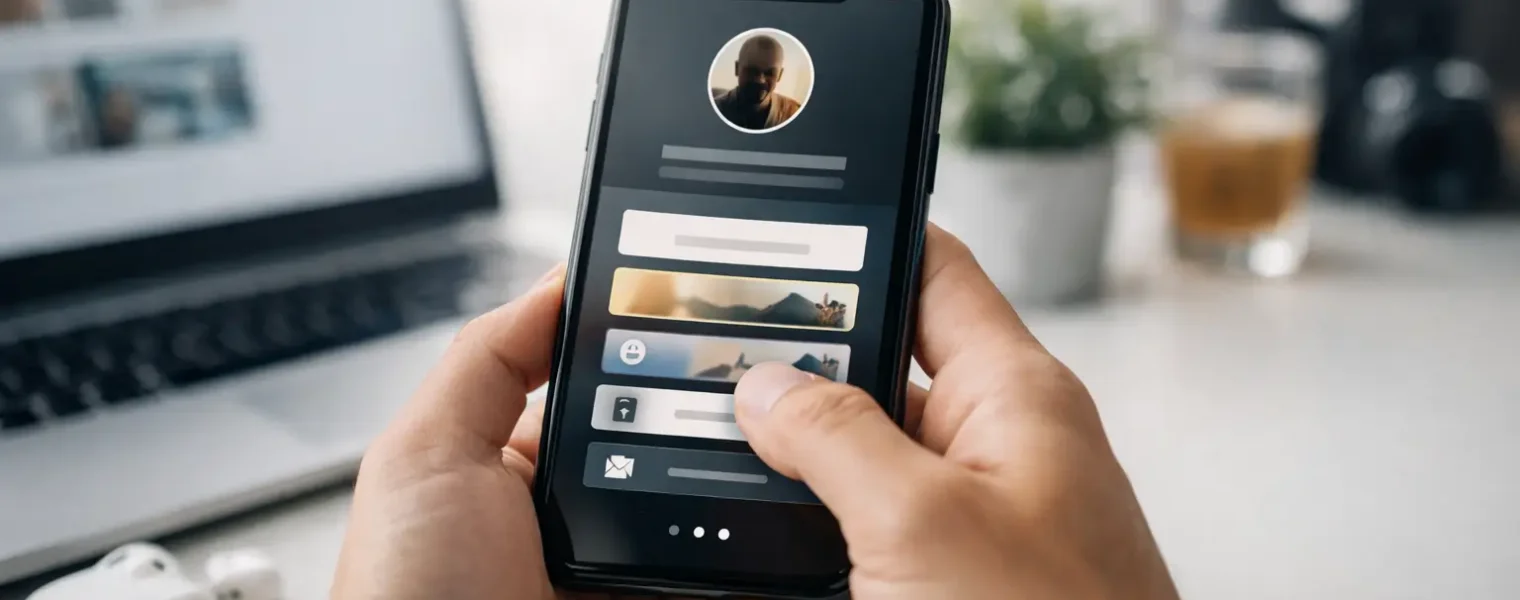
A social bio gives you one small field to direct attention. When people ask how to create link in bio, they usually need more than a page with a stack of URLs. They need one reliable destination that helps a visitor take the next logical action, whether that is shopping, booking, reading, subscribing, or getting in touch.
The difference matters. A useful link in bio is organized around your current business goal, works well on a phone, looks like it belongs to your brand, and can be updated without changing the link in every profile. Build it that way, and your Instagram, TikTok, LinkedIn, YouTube, and other social profiles become easier to manage.
Start with the action you want visitors to take
Before choosing colors or adding buttons, decide what the page needs to accomplish. A creator promoting a new video may prioritize a watch link and an email signup. A consultant may put a booking page first. An ecommerce store may feature a collection, a product launch, and customer support.
Trying to give every destination equal weight is one of the fastest ways to make a bio page less effective. Visitors arrive with limited context and little patience. Give them a clear first option, then a small number of supporting paths.
Your primary link should reflect what is timely and valuable right now. It can change next week without requiring a new bio URL. That flexibility is the point: the permanent link stays in your profile while the destination behind it evolves with your campaigns.
Choose a link in bio platform that reduces tool sprawl
You can technically create a simple bio page on your website, but that approach can become inconvenient when you need to change links often, add click tracking, share a QR code, or let teammates manage campaigns. A dedicated platform gives you a focused, mobile-first workspace for those tasks.
Look for a no-code editor that lets you arrange content visually and publish changes quickly. Your page should support more than standard web links. Depending on your business, you may need social profiles, embedded media, maps, testimonials, contact details, FAQs, product destinations, or lead capture.
The platform should also give you control after publishing. Editable destinations, branded short links, dynamic QR codes, and real-time reporting turn a basic page into usable campaign infrastructure. Blinki brings those functions into one place, so you do not have to maintain separate tools for a bio page, URL shortener, QR code generator, and analytics dashboard.
How to create a link in bio page step by step
Create your page by choosing a clean layout and setting a profile image, business name, and short description. Use the description to answer a simple question: why should someone click? “New arrivals, styling tips, and order support” is more useful than a generic slogan with no direction.
Then add your primary destination at the top. Write button text that describes the outcome, not just the format. “Shop summer essentials” is clearer than “Website.” “Book a 20-minute consultation” sets better expectations than “Contact me.” Specific labels help people choose quickly and make your reporting easier to interpret later.
Add supporting links in a deliberate order. Put high-intent actions near the top, followed by evergreen content such as your portfolio, newsletter, resource library, or social channels. If a link does not serve your audience or a current objective, remove it. A shorter page with clear choices usually performs better than an overstuffed directory.
Use your brand colors, logo, type style, and visual tone consistently. This does not mean every page needs heavy design. In many cases, a simple background, readable buttons, and one recognizable brand element are enough. The goal is instant recognition and easy scanning, especially on small screens.
Before you publish, test the page as a visitor would. Open it on a phone, tap every button, check that the order makes sense, and confirm that pages load properly. A desktop preview can hide issues such as long labels, crowded spacing, or a primary link that sits too far down the page.
Use one URL everywhere, but tailor the experience when needed
Your bio URL should be stable enough to use across social profiles, email signatures, printed materials, podcasts, and presentations. A custom domain or branded short URL can reinforce trust, particularly when your audience knows your business name. It also makes the link easier to recognize when it appears outside a social app.
Still, one URL does not require one static experience forever. Update your top link for launches, seasonal offers, events, or new content while keeping useful evergreen links available below it. If you run multiple campaigns at once, create separate pages or short links when you need clean attribution and a focused visitor journey.
This is also where dynamic QR codes earn their place. Put a QR code on a package insert, business card, event sign, or printed menu, then change its destination later without reprinting the asset. That is especially useful when a campaign ends or a product page moves. The QR code remains the same; the destination stays under your control.
Make page structure work for mobile behavior
Most bio-page traffic comes from mobile devices, often from someone moving quickly between posts, stories, and profiles. Design for the thumb, not for a large monitor.
Keep button labels short enough to scan. Use contrast that makes text readable in bright conditions. Avoid sending people through unnecessary extra steps, such as a generic homepage when you could direct them to the exact collection, booking calendar, or article mentioned in your post.
Visual content can add context when it earns its space. A product image, featured video, or testimonial can increase confidence, but too many moving parts can bury the actual links. It depends on the offer. A photographer’s portfolio may benefit from strong imagery; a local service business may get better results with clear booking and location details.
Measure clicks, then make one useful change at a time
Publishing is the beginning, not the finish. Check which links receive clicks, when activity rises, and where your traffic comes from. Good analytics should filter bot traffic, because inflated click counts can lead you to make decisions based on activity that was never human interest.
Do not overreact to a few hours of data. Look for consistent patterns. If a top link receives plenty of clicks but produces weak results on its destination page, the issue may be the offer or landing page rather than the bio page. If an important link receives almost no clicks, improve its label, move it higher, or decide whether it belongs there at all.
Use campaign-specific short links when you need to compare placements. For example, a QR code at an event and a link in an Instagram profile can lead to the same offer while still being measured separately. That distinction helps marketers and agencies understand which distribution channel is actually creating attention.
Keep your link in bio operationally clean
A link in bio page often starts as a solo project and becomes a shared business asset. Once multiple people publish campaigns, establish basic controls for who can edit pages, change destinations, access analytics, and manage domains. Role-based permissions prevent accidental changes while allowing collaborators to do their work.
Set a recurring check for expired promotions, out-of-stock products, old event links, and outdated contact details. This takes minutes, but it protects the experience for every visitor who arrives through a profile, printed QR code, or previously shared short link.
The best bio page is not the one with the most buttons. It is the one that keeps your next customer moving without confusion – and gives you enough control to change direction the moment your business does.